Starpath Altar

| |
|---|---|
| Rarity | Sovereign |
| Type | Block |
| Base item | Sculk Catalyst |
| Stackable | No |
| Categories | Altars, Blocks, Multiblocks |
| ID | arcananovum:starpath_altar
|
The Starpath Altar is a Sovereign block that can be used to teleport multiple entities to a precise location.
Appearance
- describe what the item looks like.
Tooltip
|
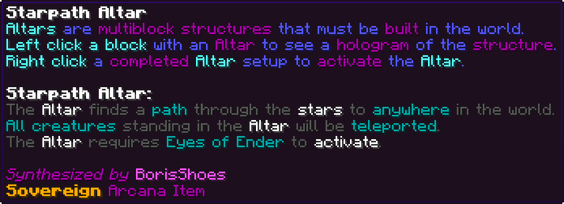
Altars are multiblock structures that must be built in the world. |
Obtaining
Research
Unlocks after completing these research tasks:
- Obtain Stardust
- Use an Eye of Ender
- Use an Ender Pearl
- Unlock Obsidian's Hidden Potential
- Research the Waystone
Crafting
Crafted in the Starlight Forge.
 6
 4
 4464
 2
 244
 4422464446

| Ingredient | Total |
|---|---|
| Eye of Ender | 24 |
| Obsidian | 32 |
| Crying Obsidian | 16 |
| Stardust | 8 |
| Waystone | 4 |
| Nether Star | 1 |
Used when the server has the Classic Recipes pack enabled.
241616162416881616161688162416161624| Ingredient | Total |
|---|---|
| Eye of Ender | 96 |
| Obsidian | 128 |
| Crying Obsidian | 64 |
| Stardust | 32 |
| Waystone | 4 |
| Nether Star | 1 |
Multiblock Structure
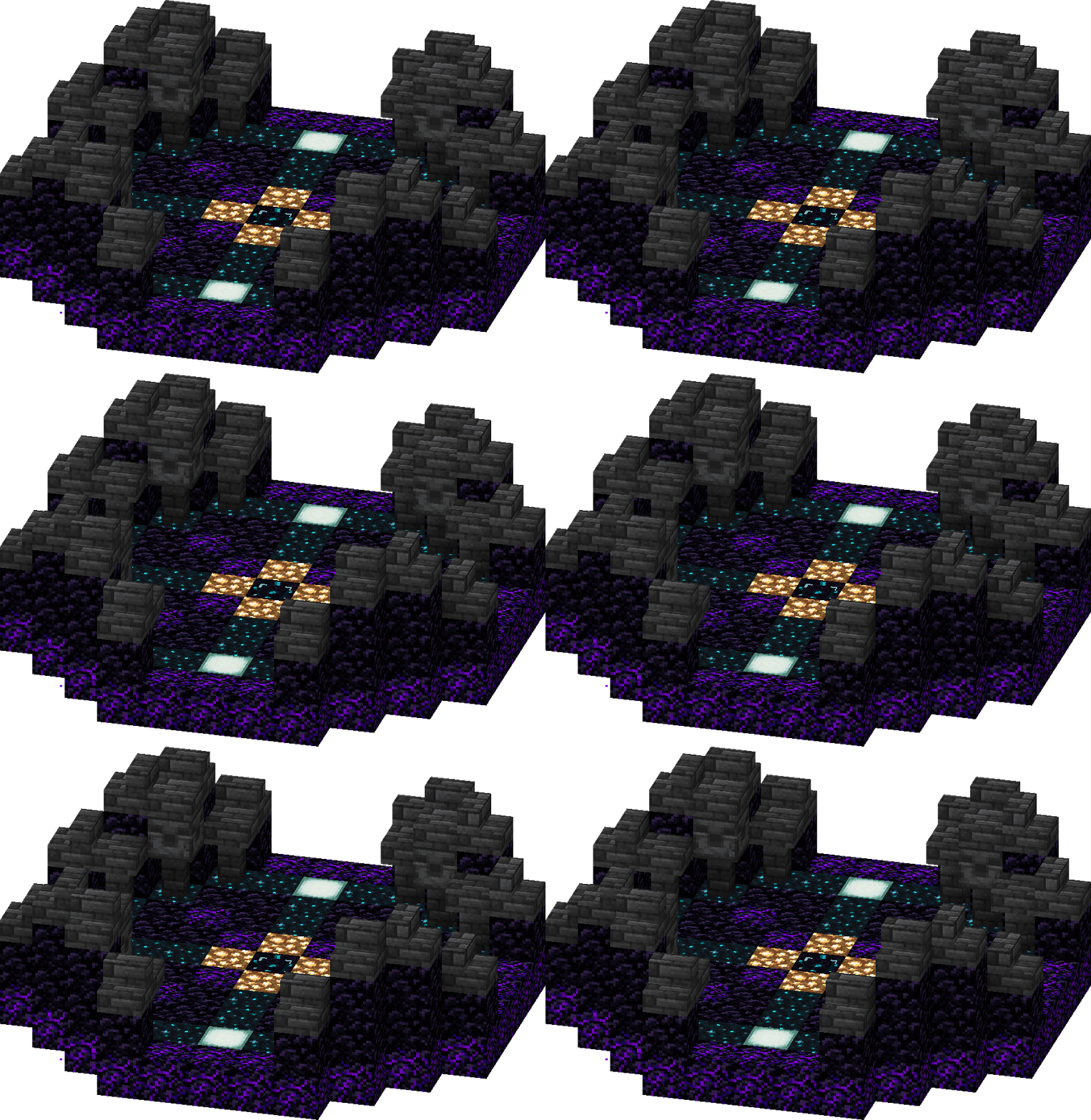
The structure is 11×4×11 blocks (X×Y×Z), shown one layer at a time from above. The Starpath Altar itself is outlined in gold. Hover a block for its exact state; an arrow shows which way it faces.


 ↓↓

 →←→←↑↑↓↓→←→←↑↑
| Count | Block |
|---|---|
| 48 | Obsidian |
| 36 | Crying Obsidian |
| 28 | Sculk Catalyst |
| 16 | Deepslate Tile Stairs |
| 12 | Deepslate Tile Slab |
| 12 | Deepslate Tile Wall |
| 4 | Chiseled Deepslate |
| 4 | Glowstone |
| 4 | Sea Lantern |
Usage
The completed altar structure can be accessed by right clicking on the central block, which opens the altar's GUI.

- The clock on the left details the altar's current cooldown in seconds.
- The map in the center details the altar's target location. Clicking the map opens the Input Coordinates menu, in which a location can be entered by typing the coordinates in the following format: x,y,z (E.g.100,64,-100). The y coordinate is bounded by the height limit (-64 to 319) and the x and z coordinates are bounded to 999,999,999 blocks in any direction. The output slot of the menu indicates whether the input is a valid location or not. Clicking the check mark for a valid location sets that as the altar's target location.
- If the altar is augmented with [Star Charts], clicking on this map opens an inventory of saved destinations. Clicking the book and quill at the bottom opens the Input Coordinates menu, and after clicking the check mark, a second GUI appears where a name for the destination can be input. Multiple destinations can have the same name. Clicking the check mark returns to the inventory with the new destination saved as a map. Each destination can be right clicked to rename, shift+left clicked to delete, or left clicked to set as the altar's target location. Destinations in the inventory can be sorted using the top left button, and if there are multiple pages of destinations, pages can be changed using the bottom left and right buttons.
- The altar's target location can also be set by sneak+right clicking on it with an attuned Waystone. This waystone must be attuned to a location in the same dimension as the altar, unless the altar has been augmented with [Stargate]. If the altar is augmented with [Star Charts], destinations set via waystone are not saved in the altar's inventory.
- The eye of ender on the right details the cost of teleporting to the target destination in Eyes of Ender. Clicking the eye activates the altar with the current target location.
Activating the altar requires eyes of ender, with the amount varying depending on the destination. Every 64 blocks of Euclidian distance from the altar's location to the target location requires one eye of ender (rounded down, with a minimum of one eye). This fuel efficiency can be increased with [Astral Pathfinder], granting 128/256/512/1024/2048 blocks of travel distance per eye of ender. If using a waystone on an altar with [Stargate] to travel to another direction, the cost of the teleportation is equal to 2x+16, with x being the cost for travelling within the same dimension. Upon activation, the sculk catalysts in the altar's floor begin pulsing, and black particles form a dome over the altar. Stars appear within the dome and float up from the floor, and purple leylines begin slowly connecting the stars. A whooshing sound is heard, all entities on the altar are teleported, and the particles disappear. The altar cannot be accessed while this animation is playing. The altar then goes on cooldown for 30 minutes, during which it cannot be used. This cooldown can be reduced with the [Constellation Drift] augment.
When activated, the altar teleports any player, mob, or armor stand whose hitbox at least partially intersects an 11x5x11 cuboid region that fully encompasses the altar's footprint and extends from the bottom of the altar's base to one block above the top of the altar's deepslate. When arriving at their destination, entities are randomly scattered to the centers of blocks across an 8x8 horizontal area centered on the northwest corner of the target location. If the destination is in the air, the altar teleports entities to the highest available surface at each location in the 8x8 area. If the destination is underground, the altar will attempt to teleport entities to any at least two block high air gaps above a solid block from at most one block above the top of the target location to the bottom of the world. If no such location can be found, entities will be teleported into the solid blocks and scattered across the 8x8 area as normal.
The altar can also be activated by a redstone input, in which case the eyes of ender must be dropped onto the center of the altar as an item. If excess eyes of ender are dropped onto the altar, only the amount required for the teleportation are consumed. To use a waystone for location targeting, the waystone must be dropped onto the center of the altar alongside the eyes of ender. If multiple waystones are dropped onto the altar, the waystone that was dropped first is used to determine the target location.
- describe how the item is used.
Augmentations
| Augment | ID | Levels | Tiers | In-game text | Notes |
|---|---|---|---|---|---|
| Astral Pathfinder | astral_pathfinder |
5 | ❖❖❖❖❖ | Doubles the fuel efficiency of The Altar for each level | — |
| Constellation Drift | constellation_drift |
5 | ❖❖❖❖❖ | Decreases Altar cooldown by 5/10/15/20/25 Minutes | — |
| Star Charts | star_charts |
1 | ❖ | Target locations can be saved and loaded using the Target Input menu buttons | — |
| Stargate | stargate |
1 | ❖ | The Altar can teleport to other dimensions when using a Waystone for targeting | — |
Achievements
| Achievement | ID | Type | Arcana XP | Skill Points | In-game text | Notes |
|---|---|---|---|---|---|---|
| Adventuring Party | adventuring_party |
Event | 1,000 | 1 | Teleport yourself along with another player or one of your tamed animals | — |
| Far From Home | far_from_home |
Event | 10,000 | 3 | Teleport over 100,000 blocks from your current location | — |
Tome Entry
The leylines flow like rivers through the world, yet they are almost indistinct and would be impossible to navigate. However, the stars above pull on them like the moon on the tide. By charting the stars, and using Waystones to mark them, I should be able to send teleportation energy through the leylines along a charted course to exactly where I want to go in the world. It should even be capable of taking a group of creatures all at once to the same destination!
Unfortunately, an Eye of Ender only contains so much teleportation energy, so the farther I wish to travel, the more Eyes I need to provide to have enough energy to create a continuous pathway along the leylines.
I can Sneak Use a Waystone to encode a location into the Altar, or enter one manually.
Configuration
Options for this item. See Configuration Options for every option in the mod.
| Key | Type | Default | Description | Notes |
|---|---|---|---|---|
starpathAltarBlocksPerEye |
int | 64 blocks | The number of blocks of pathway created per Eye of Ender for the Starpath Altar | — |
starpathAltarCooldown |
int | 36,000 ticks (30 min) | The cooldown in seconds for the Starpath Altar | — |
starpathAltarCooldownPerLvl |
int[] | 0 / 6,000 / 12,000 / 18,000 / 24,000 / 30,000 ticks | The cooldown reduction in seconds per augment level for the Starpath Altar | — |
starpathAltarItem |
string | minecraft:ender_eye |
The item required to activate the Starpath Altar | — |
xpStarpathAltarActivate |
int | 1,000 Arcana XP | The XP granted for activating the Starpath Altar | — |
Trivia
- add trivia as a bulleted list.
History
- record changes between versions with {{Version}}.