Transmutation Altar

| |
|---|---|
| Rarity | Sovereign |
| Type | Block |
| Base item | Block of Diamond |
| Stackable | No |
| Categories | Altars, Blocks, Multiblocks |
| ID | arcananovum:transmutation_altar
|
The Transmutation Altar is a Sovereign block that can be used to perform Transmutations.
Appearance
The Transmutation Altar is a light gray block covered in intricate etchings, inlaid with amethyst and diamonds. The four sides each bear the same etchings, while the top is marked with a simpler circular design.
Tooltip
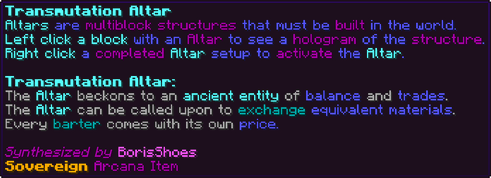
|
Altars are multiblock structures that must be built in the world. |
Obtaining
Research
Unlocks after completing these research tasks:
Crafting
Crafted in the Starlight Forge.
 66
 4
 666
 8
 28642
 246828666466

| Ingredient | Total |
|---|---|
| Blackstone | 36 |
| Block of Amethyst | 16 |
| Block of Quartz | 36 |
| Amethyst Shard | 32 |
| Diamond | 8 |
| Block of Diamond | 1 |
Used when the server has the Classic Recipes pack enabled.
2424162424242416242416164161624241624242424162424| Ingredient | Total |
|---|---|
| Blackstone | 144 |
| Block of Amethyst | 64 |
| Block of Quartz | 144 |
| Amethyst Shard | 96 |
| Diamond | 64 |
| Block of Diamond | 4 |
Multiblock Structure
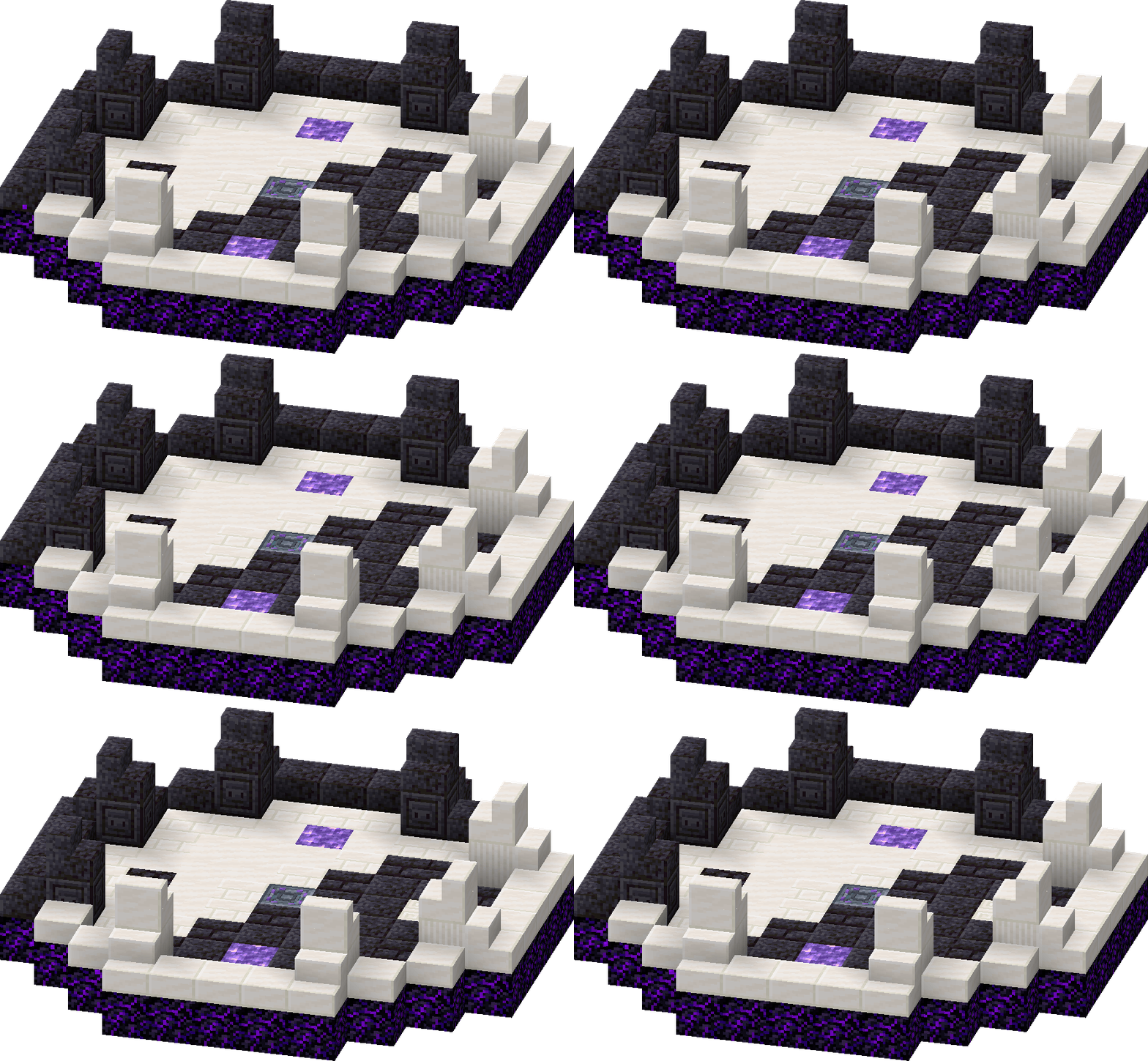
The structure is 11×3×11 blocks (X×Y×Z), shown one layer at a time from above. The Transmutation Altar itself is outlined in gold. Hover a block for its exact state; an arrow shows which way it faces.


 ←
 ↓
 ↓


 →
 ←→←↑↑↑↑←→←→↓↓
| Count | Block |
|---|---|
| 28 | Crying Obsidian |
| 21 | Polished Blackstone Bricks |
| 21 | Quartz Bricks |
| 11 | Polished Blackstone |
| 11 | Smooth Quartz Block |
| 10 | Polished Blackstone Slab |
| 10 | Quartz Slab |
| 8 | Polished Blackstone Stairs |
| 8 | Quartz Stairs |
| 4 | Chiseled Polished Blackstone |
| 4 | Quartz Pillar |
| 2 | Block of Amethyst |
| 1 | Blackstone |
| 1 | Chiseled Quartz Block |
Usage
The completed altar structure can be accessed by right clicking on the central block, which opens the altar's GUI.

- The clock on the left details the altar's current cooldown in seconds.
- The book in the center can be clicked to open the list of available Transmutation Recipes. If the altar is augmented with [Hasty Bargain], the book will automatically display the reagent cost calculation for the current augment level.
- The check mark on the right can be clicked to activate the altar, and will display an X if the altar is currently on cooldown.
The Chisled Quartz Block in the multiblock structure marks the input pad, for the item that will be transmuted into a different item. The two Blocks of Amethyst mark the dual reagent pads, for the items that function as the cost of the recipe and are consumed. The Blackstone block marks the output pad where the newly created items will appear. The blackstone block also functions as an input or focus for some recipes to determine what the input item will be transmuted into. Some recipes require items to be dropped onto the central altar itself. In order to activate the altar, the Player must drop items onto the correct pads of the altar, as listed and color-coded in the list of Transmutation Recipes. When sufficient amounts of items are placed on all of the correct pads for a transmutation, the altar can be activated via the check mark in the GUI. Each transmutation can transmute up to one stack of input items for a single batch of reagents.
For example, to complete a transmutation of an Oak Log into a Spruce Log, the Transmutation Altar would require the oak log to be dropped on the quartz as the input, the spruce log to be dropped upon the blackstone as the focus, and the two reagents of Copper Ingot×3 and Emerald×2 on the two amethyst blocks. Up to one stack of oak logs could be transmuted into spruce logs in a single transmutation with only 3 copper ingots and 2 emeralds expended.
Upon activation, purple particles spread out from the center of the altar to form several rings around the altar and each of the pads. Blue lines connect all the circles together, and the outer ring of particles begins swirling. All the pads begin sparkling, and then the transmutation occurs and all particles disappear. If the altar is augmented with [Trade Agreement] and there are still sufficient input and reagent items on the pads, the altar will immediately begin another transmutation. The altar cannot be accessed while this animation is playing. The altar then goes on cooldown for 11 minutes, during which it cannot be used. Both the transmutation animation time and cooldown can be reduced with the [Hasty Bargain] augment, but this also increases the reagent cost of transmutations.
The altar can also be activated by a redstone input, in which case all items necessary for the desired transmutation must be dropped on their respective pads before the signal is applied. If a redstone signal is continuously applied while the altar is still cooling down, the redstone signal must be removed and reapplied after the cooldown finishes for the altar to activate.
Augmentations
| Augment | ID | Levels | Tiers | In-game text | Notes |
|---|---|---|---|---|---|
| Hasty Bargain | hasty_bargain |
5 | ❖❖❖❖❖ | Decreases Altar cooldown by 2/4/6/8/10 Minutes First Level decreases transmutation time by 50% First Level increases reagent consumption by 100%, Reagent consumption decreased by 20% per extra level Reagent consumption cannot go beyond 1 stack |
— |
| Trade Agreement | trade_agreement |
1 | ❖ | The Altar will reactivate automatically after a successful transmutation if the materials for another transmutation are available on the Altar | — |
Achievements
| Achievement | ID | Type | Goal | Arcana XP | Skill Points | In-game text | Notes |
|---|---|---|---|---|---|---|---|
| State Alchemist | state_alchemist |
Progress | 10,000 | 10,000 | 3 | Have your Altars transmute 10000 items | — |
Tome Entry
Through my research into leylines, I have discovered the essence of a living entity entwined within the leylines of the Overworld. From what I can tell, the entity is old, very old, and most likely of divine nature.
It is both singular and plural, like raindrops that become an ocean.
I believe I can construct an altar that taps into the energy of this entity that rides the leylines. I wonder what capabilities this structure could yield.
The Altar I have created seems to mutate items when I drop them in specific configurations. The mutations are mostly consistent and follow some rule of conservation, but consumes reagents in the process.
I will catalog all of the mutations I can find and document them in my Tome.
The points of interest are that there are 5 placement locations for items:
A positive input, marked by quartz.
A negative input marked by blackstone.
Two reagent inputs, marked by amethyst.
And the Altar keystone itself seems like it can channel energy, however I haven’t found an Item that works yet.
When activated, the Altar will charge up and perform the transmutation.
A gentle voice can be heard with each activation. The entity reminds me of the fae creatures that Illagers keep.
Configuration
Options for this item. See Configuration Options for every option in the mod.
| Key | Type | Default | Description | Notes |
|---|---|---|---|---|
transmutationAltarCooldown |
int | 13,200 ticks (11 min) | The cooldown in seconds for the Transmutation Altar | — |
transmutationAltarCooldownPerLvl |
int[] | 0 / 2,400 / 4,800 / 7,200 / 9,600 / 12,000 ticks | The cooldown reduction in seconds per augment level for the Transmutation Altar | — |
xpTransmutationAltarTransmute |
int | 100 Arcana XP | The XP granted for successfully transmuting with the Transmutation Altar | — |
xpTransmutationAltarTransmutePerItem |
int | 10 Arcana XP | The XP granted for transmuting 1 item with the Transmutation Altar | — |
Trivia
- The gentle voice mentioned in the Tome Entry is Equayus, who is responsible for the functioning of the Transmutation Altar.
History
- record changes between versions with {{Version}}.